
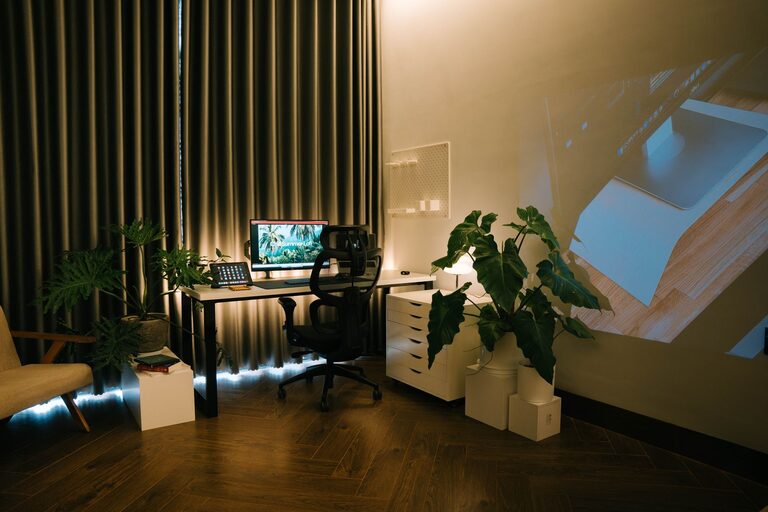
Creating a relaxing home workspace can make a significant difference to your productivity, comfort, and overall well-being. With many people working from home, designing an area that promotes focus while reducing stress is essential. Here are practical tips and ideas to help you craft a calm and enjoyable work environment.
Why a Relaxing Workspace Matters
A workspace isn’t just about having a desk and a computer—it’s about creating an atmosphere that helps you concentrate and feel at ease. A cluttered or uncomfortable area can increase stress levels and lower efficiency. Conversely, a thoughtfully arranged and peaceful workspace encourages creativity, reduces fatigue, and enhances motivation.
Choosing the Right Location
Consider Natural Light
If possible, set up your workspace near a window. Natural light improves mood and reduces eye strain. Position your desk so that sunlight comes from the side, preventing glare on your screen.
Minimise Distractions
Select a quiet corner or room where interruptions are minimal. If you share your home, consider using room dividers or noise-cancelling headphones to preserve your focus.
Furniture and Layout
Invest in Ergonomic Furniture
Comfort is key. Use an ergonomic chair that supports your back and encourages good posture. Your desk should be at a height where your elbows rest at 90 degrees when typing.
Keep Your Space Organised
Limit the amount of furniture to what you need. A tidy workspace eliminates distractions and helps you find things quickly. Use shelves, drawers, or organisers to keep supplies within reach but out of sight.
Colours and Décor
Choose Calming Colours
Soft, muted tones such as pastel blues, greens, or neutral shades create a serene environment. Avoid overly bright colours that might be too stimulating.
Add Personal Touches Wisely
Include a few items that inspire you—plants, art prints, or photos. However, keep decorations minimal to avoid cluttering the space.
Lighting
Besides natural light, good artificial lighting is important, especially for evening work.
– Use a desk lamp with adjustable brightness.
– Choose warm light bulbs over harsh white or blue light to create a cosy atmosphere.
– Position lights to reduce shadows and glare on your screen.
Incorporate Nature
Bringing elements of nature indoors can have a calming effect.
– Place small potted plants on your desk or shelves. Succulents or air plants require little maintenance.
– Consider a small water fountain or nature-themed artwork.
Noise Control
Background noise can either help or hinder focus.
– Use white noise machines or apps if silence feels distracting.
– Noise-cancelling headphones are helpful in noisy environments.
– Soft instrumental music or nature sounds can promote relaxation.
Technology Tips
Organise Your Digital Space
Keep your desktop and files orderly to reduce digital clutter. Use proper folders and labels to quickly find important documents.
Manage Cables
Use cable organisers or clips to keep wires tidy and avoid accidental unplugging or damage.
Incorporating Break Areas
If space allows, set up a small corner for breaks. Use a comfortable chair or cushions for stretching or relaxing during work pauses.
Maintaining Your Workspace
– Make it a habit to clear your desk at the end of each day.
– Regularly clean surfaces, keyboards, and screens.
– Rotate plants or décor to keep the space fresh and inviting.
Final Thoughts
Designing a relaxing home workspace is about balance—combining comfort, functionality, and aesthetics. By choosing the right location, investing in ergonomic furniture, maintaining good lighting, and keeping your space organised, you create an environment that supports your work and wellbeing. Start with small changes and adjust according to what makes you feel calm and focused. Your home workspace can become a favourite part of your day, helping you work smarter and enjoy the process.

Related Posts